About Floorball Tactic Board
Floorball Tactic Board, allows you to create your own tactics for every match situation, for FREE and NO REGISTRATIONS nor payments are needed for more advanced tools ;). Intuitive UI, simple, quick using. You can change...
Floorball Tactic Board, allows you to create your own tactics for every match situation, for FREE and NO REGISTRATIONS nor payments are needed for more advanced tools ;). Intuitive UI, simple, quick using.
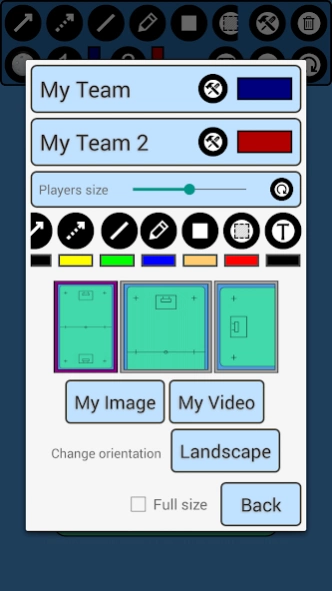
You can change the field, to three different options. Full field view, Half field view and attacking or defending third!
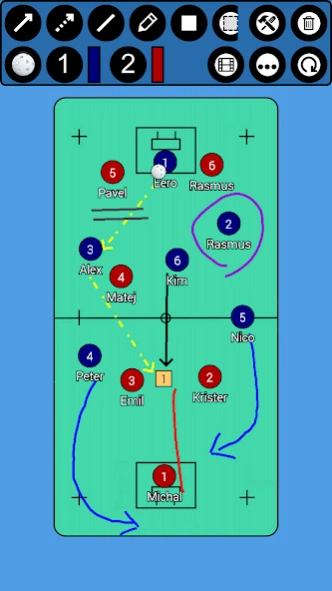
FTB provides you seven tools! Rectangle with number inside! Sipmle Line, Arrow, Dotted arrow, Pen, Text and Area! Everything you need to create your tactic!
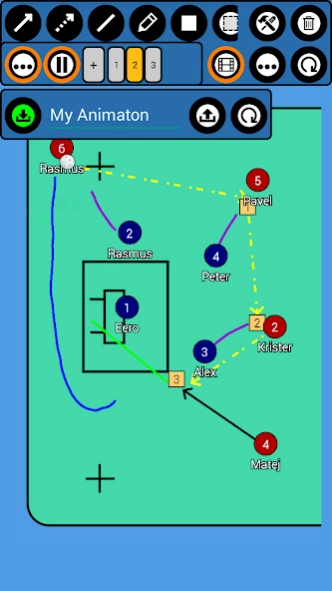
Save your tactics into one frame, or do frame by frame ANIMATION, for more advanced tactics! You can set animation speed to make it simply the BEST.
You can analyse your own photos and your own videos!
Create your teams and players!
***manual on bottom of the page***
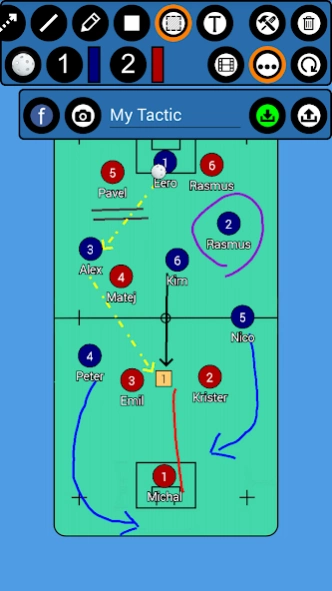
FTB allows you several ways to share tactic or animation with others!
- for tactic - you can do photo of your tactic or you can export it into file
- for animation - you can export it into file
This file can be easily imported into app on any other device ;)
***manual on bottom of the page***
Simply remove objects, if you want to rework your tactic, with remove function! Or you can reset everything with just one click!
Create floorball tactics
/*More field options*/
*Full field
*Half field
*Attacking/defending third
/*Tools*/
*Arrow
*Dotted arrow
*Line
*Rectangle
*Pen
*Text
*Area
*Delete
/*Useful features*/
*Change players size
*Save tactics
*Export/Import tactics and animations
*Frame by frame animation
*Portrait/Landscape mode
***HOW TO ADD YOUR TEAM***
Go to edit window (top right tools button), click on team1/team2 edit button on the right of team, add new team and players. Then select this team by clicking on it.
***HOW TO EXPORT TACTIC / ANIMATION***
Go to tactic / animation loading window, on the bottom click on EXPORT, and then click on the tactic / animation which you want to be exported.
Tactics are then exported to your device to folder /FloorballBoard/Tactics
Animations to /FloorballBoard/Animations
Now you can send them to others and they can import them ;)
***HOW TO IMPORT TACTIC / ANIMATION***
Copy tactic / animation file to your device folder
- tactic to /FloorballBoard/Import/Tactics
- animation to /FloorballBoard/Import/Animations
(if this folder doesnt exists - Go to tactic / animation loading window, on the bottom click on IMPORT and folders will be created)
Now you have tactic / animation in right folder, so now it is very simple:
Go to tactic / animation loading window, on the bottom click on IMPORT
In import window, there are shown tactics / animations which are copied in import folder
and now you just click on the tactic / animation which you want to be imported.
Previous Versions
Here you can find the changelog of Floorball Tactic Board since it was posted on our website on 2021-12-14 12:45:00.
The latest version is 5.0.6 and it was updated on 2024-04-22 12:32:07. See below the changes in each version.
Floorball Tactic Board version 5.0.6
Updated At: 2023-08-31
Changes: Latest android update.
Floorball Tactic Board version 5.0.4
Updated At: 2019-07-29
Disclaimer
Official Google Play Link
We do not host Floorball Tactic Board on our servers. We did not scan it for viruses, adware, spyware or other type of malware. This app is hosted by Google and passed their terms and conditions to be listed there. We recommend caution when installing it.
The Google Play link for Floorball Tactic Board is provided to you by apps112.com without any warranties, representations or guarantees of any kind, so access it at your own risk.
If you have questions regarding this particular app contact the publisher directly. For questions about the functionalities of apps112.com contact us.